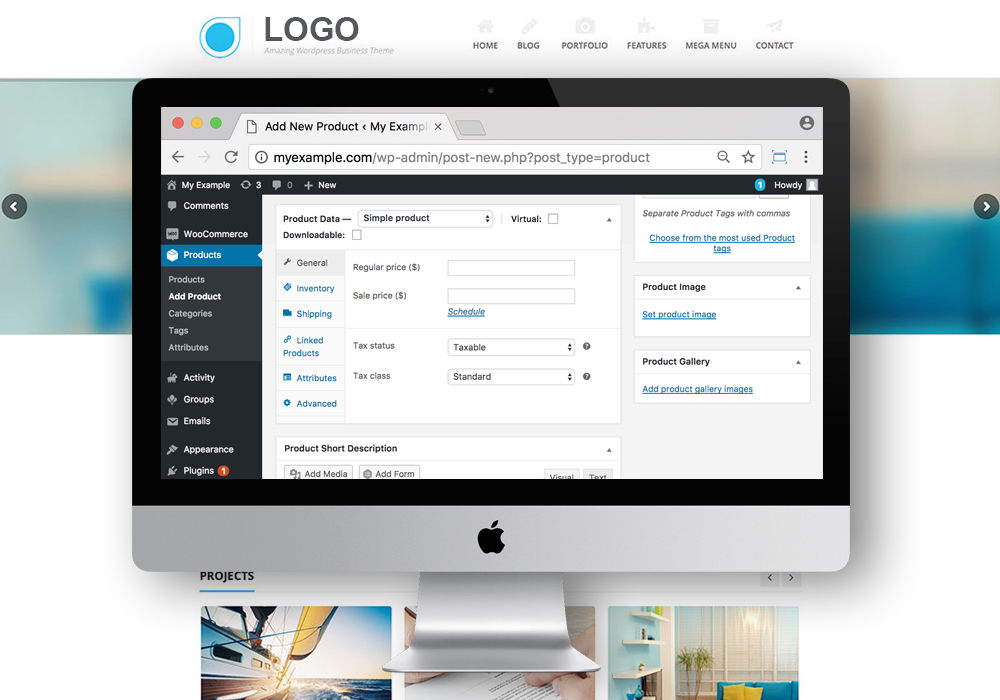
We always wish we could add or change our website whenever we need to, in whatever phase our business is in, like adding a new product to a WordPress website, updating the news and events section, posting a new career opening, or managing all the resumes that come in for it. Most business owners run into this same friction: every small update turns into an email to a developer and a few days of waiting. If your website is built with a proper CMS website development approach, all of that becomes easy, and you can make quick changes on your own, on your own schedule, without waiting on anyone else.
What Is CMS Website Development, Really?
WordPress CMS is not new to anyone at this point; locally and globally, people are well aware of content management systems by now. A CMS uses a database to store, retrieve, and edit the content of your website, and every page of your site is stored as simple, structured content, which makes it easy to edit, search, and update. In practice, it is a compilation of procedures used to manage workflow in a shared environment, so multiple people on your team, whether that is marketing, HR, or a store manager, can add or update content without stepping on each other’s work or needing to touch a single line of code.
Why WordPress Is More Than Just a Blogging Tool
These days, a lot of people already have a WordPress-powered site that they use as a blog, but many of them have never realized they can use the very same platform as a full content management system. That means product pages, service pages, a careers page, and more can all live on one system your team already knows how to use, instead of juggling separate tools for each part of the site. It is a good time to build a website whose content can be managed easily by any layman on your team, not just a developer or an agency, which also means your website can grow and change as fast as your business does.

WordPress CMS Website Development
What You Can Manage Yourself, in Minutes
It takes less than one minute to create and manage every aspect of a page, whether that is your About Us page, your Contact page, or your Services pages. If you run a product-based website, you can manage your product categories and individual products the same way, and you can do it from any location, whether you are at your desk, at a trade show, or travelling for business. That is really the best part of a CMS website: it is genuinely easy to update your site and publish those changes online the moment you need to, without needing anyone else’s help, and without touching any code or waiting on a developer’s schedule.
Custom CMS Development, Built Around How You Work
In the context of websites, a CMS is best thought of as a system built after an agency consults with you to understand exactly how you use your content, and then offers a custom CMS setup around that, rather than a generic template that only partly fits how your business actually operates. You could also call this approach dynamic website design, since the site’s structure adapts to your content rather than forcing your content to fit a rigid template. Whether you are starting fresh or moving an existing WordPress-powered site into a proper CMS setup, the goal is the same: a website your whole team can manage confidently, long after launch, with clear user roles so the right people can update the right sections without needing full admin access.
To build a WordPress content management system (CMS) based website for your business, contact us at online(at)kumbhdesign.com or get in touch through our enquiry page, and our team will walk you through the right CMS setup for how your business actually works, from a simple content site to a full product catalogue.
A regular static website usually needs a developer to make even small changes, while CMS website development gives you an admin dashboard where you can add, edit, or remove content yourself. Pages, products, and blog posts are stored in a database rather than hard-coded, so updates go live in minutes instead of days.
Yes. WordPress started as a blogging tool, but it has grown into a complete content management system that can run your About, Services, Careers, and product pages just as easily as a blog. Most businesses already have the platform they need; it is usually the structure and setup around it that is missing.
Not for day-to-day content changes. Once your custom CMS is set up correctly with clear user roles, your team can manage pages, products, and news updates on their own. Kumbh Design remains available for larger changes, like new features or design updates, whenever you need them.