As internet technology frequently upgrades, an old website structure may no longer perform well with new web technology — in terms of UI design, the web surfing experience, SEO aspects, website security, and digital marketing aspects.
So, is your website running slower than others? Does it look bad on a mobile phone? Does it rank lower than your competitors on Google? These are clear signs your website needs a redesign.
Go through this 8-point website redesign checklist before you start your project. These points will help you make your new website faster, more SEO-friendly, mobile-friendly, and better looking.
1. Analyze Your Competitor’s Website
If you think a competitor’s website is better than yours, make an in-depth analysis of their site and understand what people like about it — then find ways to bring that into your own website. Check the competitor’s URL to see how fast it opens, what the navigation flow looks like, how quickly it ranks in Google search, what the page content covers, and what URL structure they use.
2. A Good Navigation Flow
A good navigation flow is a primary requirement for any website — it helps visitors find the information they are looking for quickly. Design an easy navigation flow so that both visitors and search engine bots can understand and crawl the entire website without difficulty. A good navigation flow also increases the time visitors spend on your website.
3. An Eye-Catching Layout
A website’s layout is just as important as its navigation flow — an elegant layout can capture the attention of most visitors at first glance, since people respond to what they see before anything else. Keep the layout simple and attractive, with your main features, services, or products appearing on the home page alongside clear links for visitors to follow. The layout should inspire visitors to take action or purchase your product or service.
4. Set With the Trend — Be Mobile Friendly
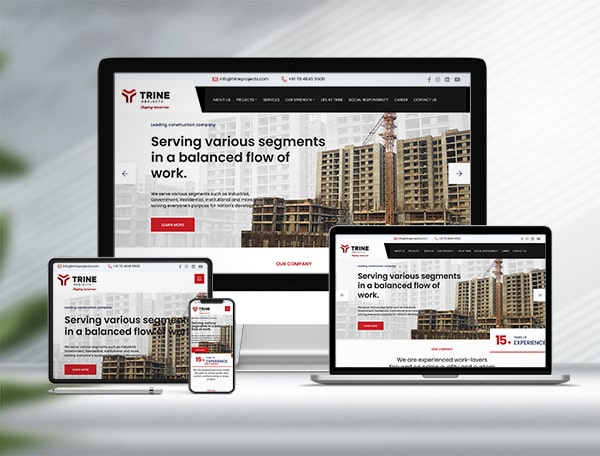
A website must support mobile screens, since mobile technology continues to go through rapid change. A majority of users now browse the internet on their smartphones, so focus on building a responsive website layout that looks good on desktop, tablet, and mobile devices alike. Visitors who get a good visual experience on a website tend to spend more time there than they would on a traditional, non-responsive site.
5. Write Rich Content
On your new website, make sure every page has rich content about your services or products, with equal attention given to the headline and the body content. Give visitors a full explanation of what you offer through content that includes well-written text, images, and video. Your website’s content represents your company, so grammar and spelling matter.
6. Cover the SEO Basics
Keeping SEO aspects in mind can help your website rank well on search engines and reach a large number of potential visitors. On every page, set a proper meta title, meta keywords, meta description, and image alt text, along with clear content headings (H1, H2, H3, and so on). These elements help search engines categorize your website correctly and show it in the right search results. It also helps to add an XML sitemap to your site and submit it through Google Analytics and Google Search Console, so you can track who is visiting your website and how.
7. Set Up SSL (Secure Socket Layer)
Website security is essential, since visitors’ private data is often stored on your servers. Make sure your website runs entirely on the secure HTTPS protocol rather than the older, unsecured HTTP. This builds trust with your visitors and helps protect their information.
8. Plan Your 301 Redirects
Since you are building your new website from scratch, many of your old page URLs are likely to change. Keep this in mind when you take your new website live: if your old URLs get lost in the eyes of Google’s search engine, any visitor who clicks through to an old URL will land on a “Page Not Found” error instead of your content. Setting up 301 redirects from every old URL to its new equivalent keeps that traffic — and your search engine rankings — intact.
Planning Your Website Redesign
A website redesign is easier to get right when you work through each of these checkpoints before development starts, rather than discovering gaps after launch. Kumbh Design Inc. helps growing businesses plan and build faster, SEO-friendly, mobile-responsive websites — from navigation and layout to on-page SEO and secure hosting. To talk through your website redesign project, write to online(at)kumbhdesign.com.
Slow load times, a poor mobile experience, and rankings that lag behind your competitors on Google are the clearest signs. If visitors are leaving quickly or your site looks dated next to competitors, it's a strong case for starting a redesign checklist.
A solid checklist covers competitor analysis, navigation, layout, mobile responsiveness, content quality, on-page SEO, SSL security, and 301 redirects for old URLs. Working through each point before development starts helps avoid gaps after launch.
When a redesign changes your page URLs, visitors and search engines that follow the old links will land on a "Page Not Found" error without a redirect in place. 301 redirects send that traffic to the new page instead, protecting both the visitor experience and your existing search rankings.